
Every Hisaab.
Clearly Managed.
Manage invoices, purchases, inventory, banking, GST working reports, ledgers and financial reports with Munim Ji—on Android and Windows.
No login required • Offline data storage • Review before posting automated entries
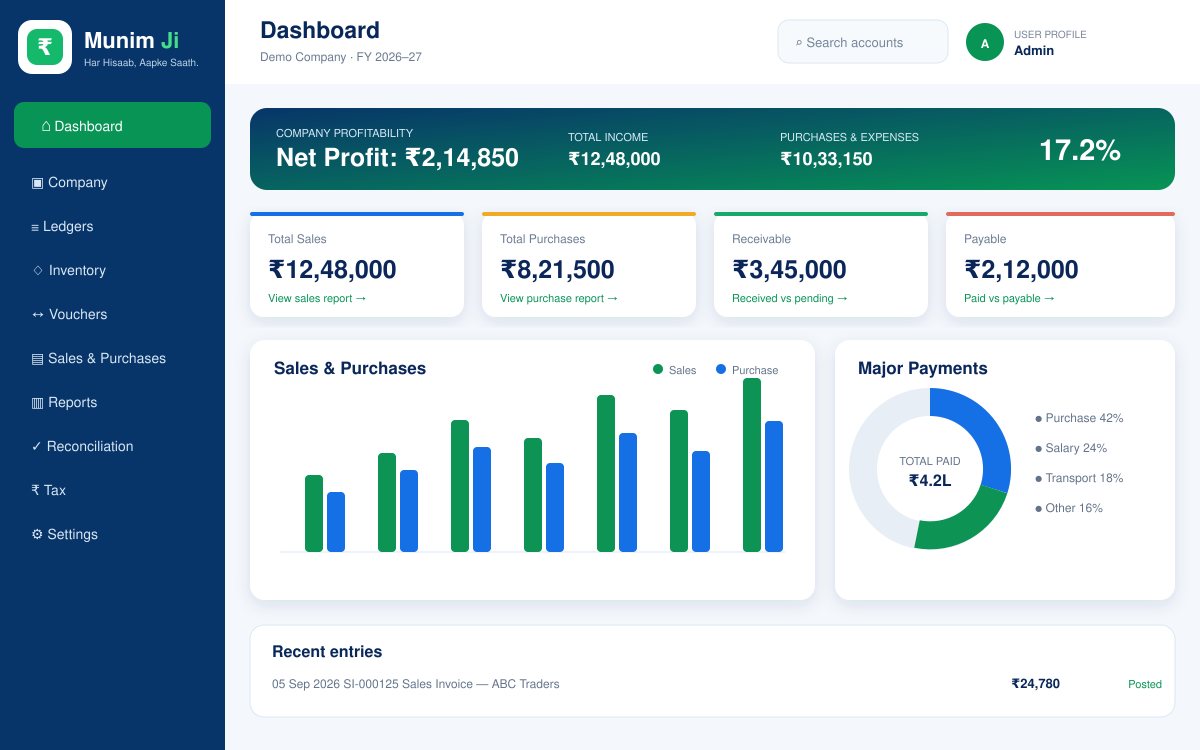

One app for everyday business accounting
From the first invoice to the final financial report, Munim Ji keeps important business records organised and accessible.
Sales & Purchase Invoices
Create multi-item GST invoices, print A4 PDFs, share records and track gross invoice totals.
Inventory & Stock
Manage product categories, units, HSN codes, GST rates and current stock movement.
Ledgers & Vouchers
Maintain party ledgers and record receipt, payment, contra and journal vouchers.
GST Working Reports
Prepare GSTR working data and export supported reports in JSON or Excel for review.
Bank Reconciliation
Import supported statement files, review detected transactions and approve accounting entries.
Tally Export
Select invoices or vouchers and create consolidated TallyPrime XML import packs.
Financial Reports
Review group-wise Trial Balance, Profit & Loss, Balance Sheet and outstanding balances.
Informative Dashboard
Monitor sales, purchases, profit or loss, receivables, payables and top-performing items.
Private Offline Storage
Your accounting records remain on your device. Export backups regularly for safe keeping.
See how Munim Ji works
A clean, informative interface for daily accounting, financial review and professional invoicing.
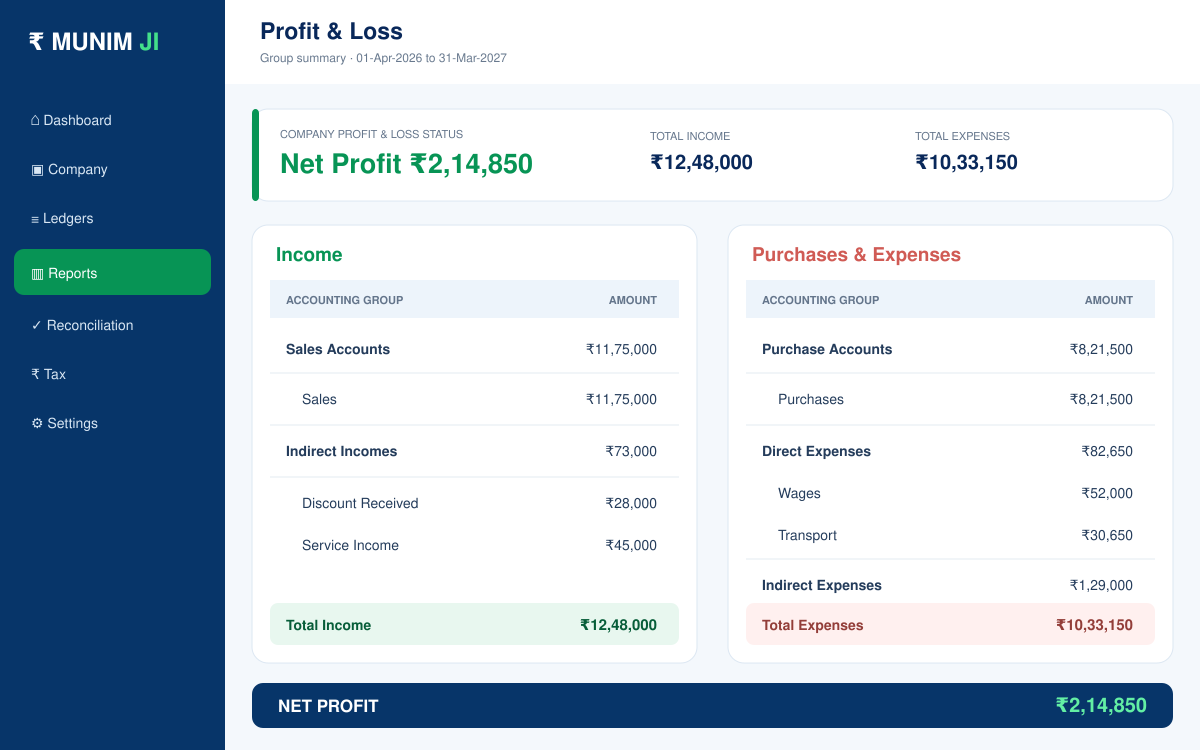
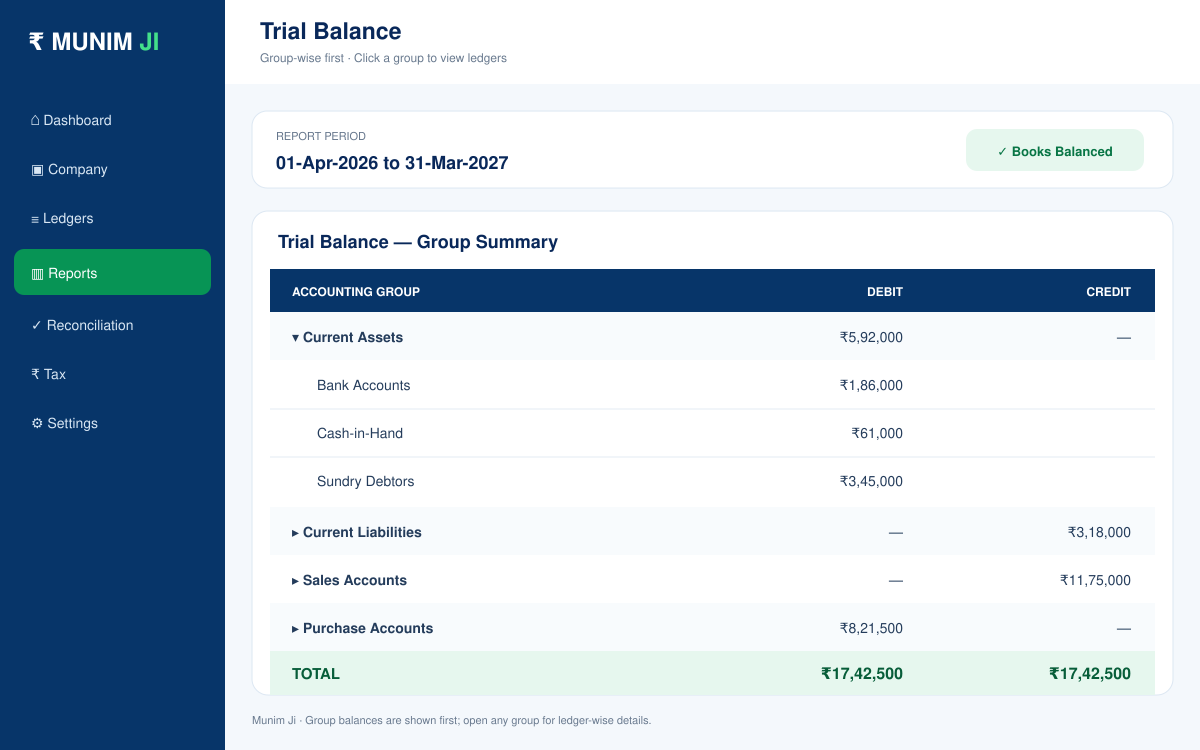

Installation instructions
Download the correct version for your device and follow these steps.
Android installation
- Click Download Android APK.
- Open MUNIMJI.APK from Downloads.
- Allow installation from this source if Android asks.
- Tap Install, then open Munim Ji.
Windows installation
- Click Download Windows PC.
- Open MUNIMJI.EXE from Downloads.
- Allow the installer to run if Windows asks for confirmation.
- Complete setup and open Munim Ji from the desktop or Start menu.
Start managing every hisaab today
Choose Android or Windows and download Munim Ji directly.